
IFS Print Agent
If you use IFS Cloud, you know the pain of local printing. The standard IFS Print Agent requires a dedicated Windows server for each agent instance — which gets expensive and cumbersome when you have multiple printers across different locations.
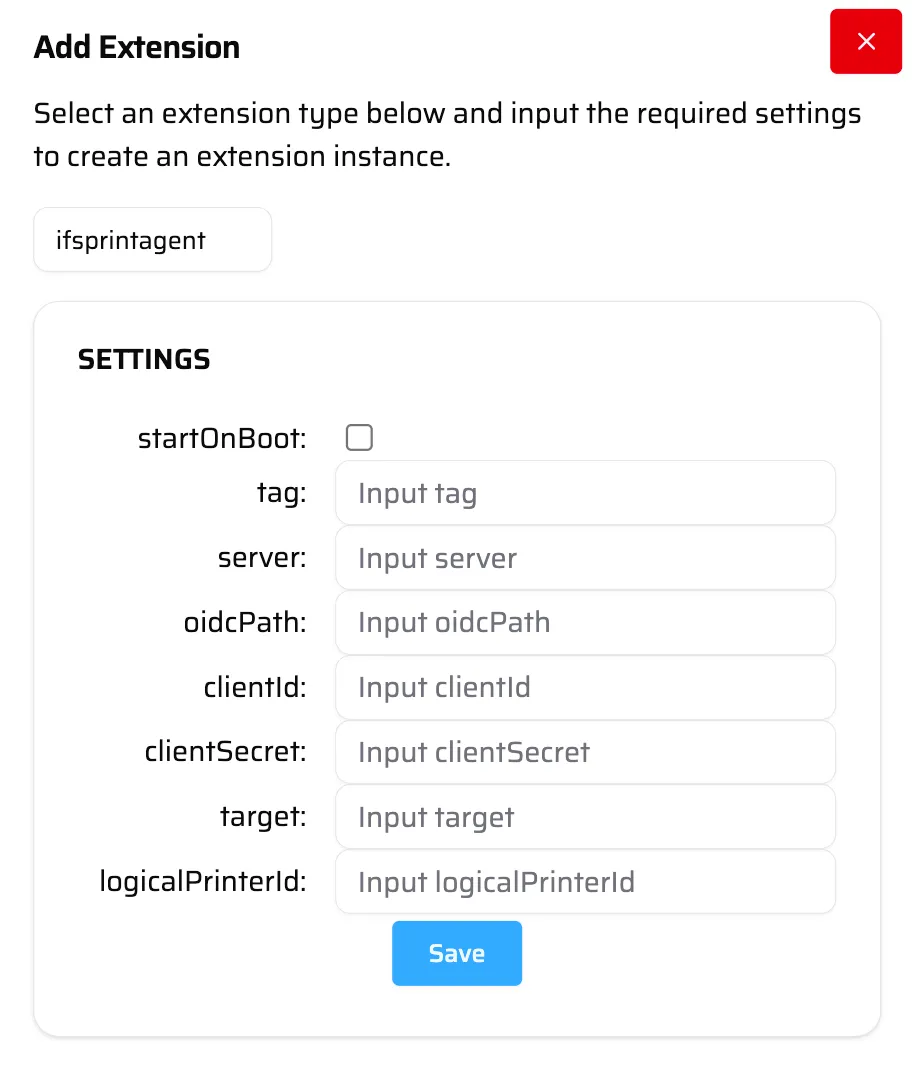
ProxyBox replaces that entirely. The IFS Print Agent extension connects directly to your IFS Cloud instance, polls for print jobs, and routes them to your local printers through ProxyBox. You can run multiple agents on a single device, each mapped to a different logical printer in IFS.
How It Works
Section titled “How It Works”- The extension authenticates with your IFS Cloud instance using OAuth credentials.
- It polls for print jobs assigned to the configured logical printer ID.
- When a job arrives, it sends the print data to the configured ProxyBox printer target — a specific printer path or a tag.
- The printer receives the job and prints it.
Because the print target is a ProxyBox URL, you get all the benefits of ProxyBox routing — tag-based targeting, pre-flight status checks, and the ability to swap hardware without reconfiguring IFS.
Settings
Section titled “Settings”| Setting | Type | Description |
|---|---|---|
| Tag | string | Internal identifier used to differentiate logs across active IFS Print Agents. |
| Server | string | Your base IFS URL (e.g. https://<company>-uat.ifs.cloud). |
| OidcPath | string | Path to your OpenID configuration (e.g. /auth/realms/<company>/.well-known/openid-configuration). |
| ClientId | string | The non-secret OAuth client ID. |
| ClientSecret | string | The secret OAuth client credential. |
| Target | string | The ProxyBox printer URL to send jobs to. Can be a specific printer path or a tag (e.g. https://pbx-jrdn.pbxz.io/api/v1/print/tag_IFSLABELS). |
| LogicalPrinterId | string | The ID of the logical printer in IFS to map this agent to. |